 Coach
PRØVA COACH · EVERY FEATURE
Everything Prøva Coach does, in detail.
For when you’re comparing tools, or deciding whether to move a squad over: plans, your climbers, sessions, juniors and teams, each with the real screen.
1The builder: write it once
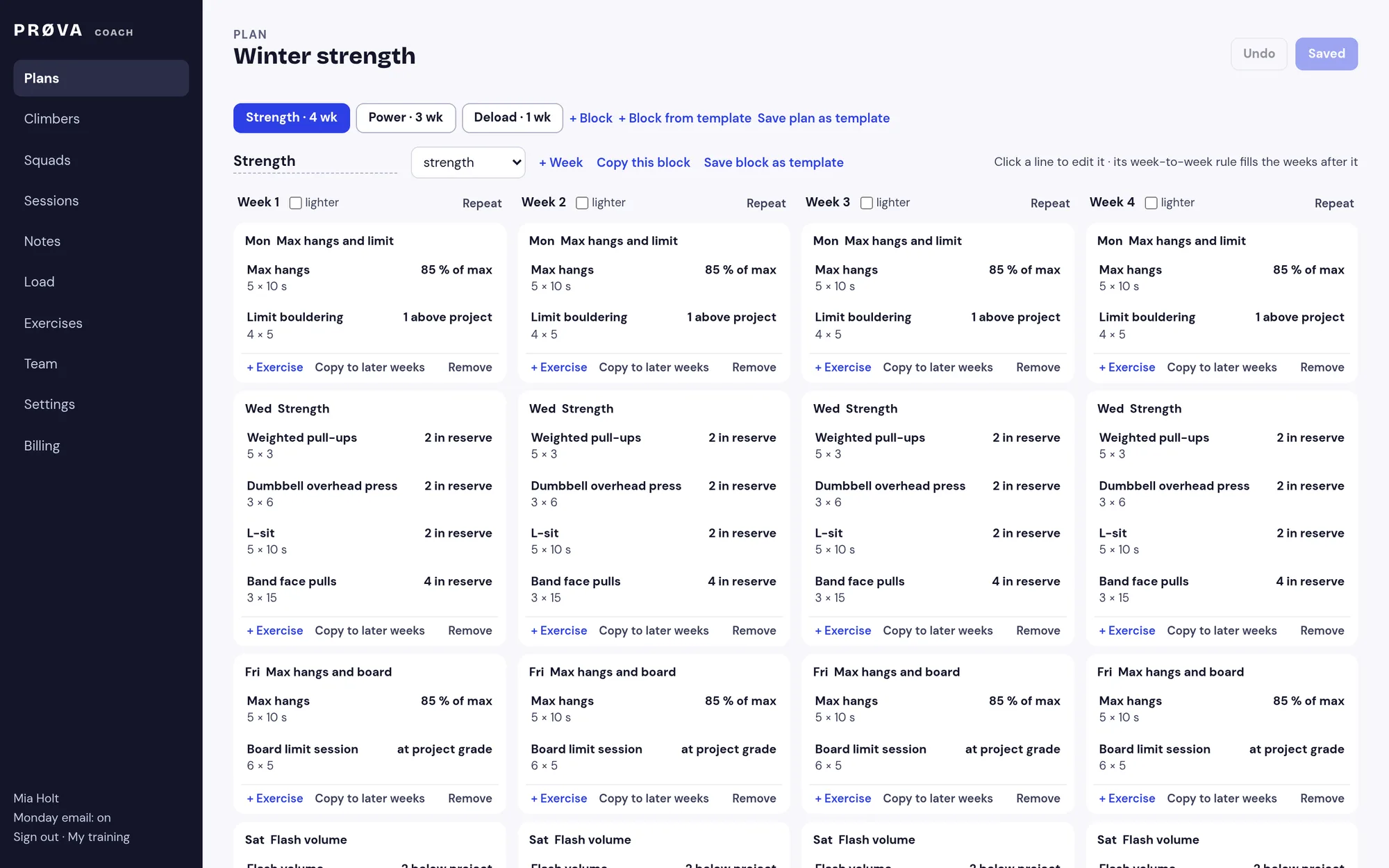
Lay your plan out in blocks, with the weeks as columns and each session as a card. Set a load as a weight, a % of each climber’s max, how many reps they should have left, or a grade, then add a weekly step or a wave and the weeks after fill in. Write 85% and each climber gets their own kilos from their own test.
- Give a plan to a squad, and tweak one climber without copying it
- Your own exercises, with your cues and a demo link
- Prøva only changes your numbers if you switch that on
2Bring your plan, or describe it
Drop in the spreadsheet, PDF, photo or WhatsApp message you send now, and it becomes a plan you can edit. No file? Write the plan the way you’d explain it to an assistant coach, and you get a draft to check. Every line comes back matched, or with a question for you, and nothing reaches a climber until you’ve checked it. Free to try before you pay.
- Spreadsheets, PDFs, photos or pasted text
- It learns your shorthand: FB, TB, @85, “2 in the tank”
- Your own drills become exercises in one click
3Templates and starter blocks
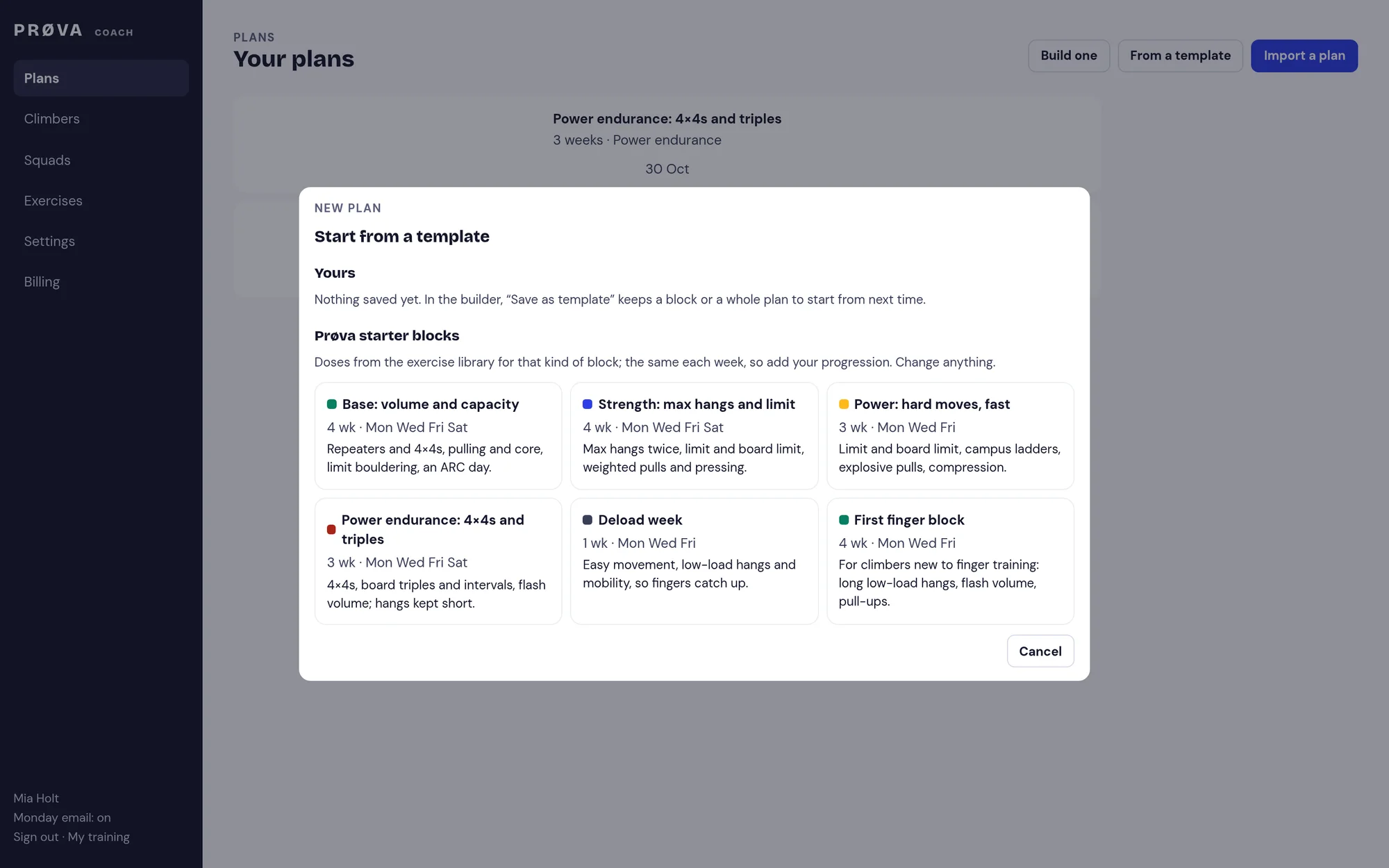
Save any block or a whole plan and start the next one from it, or begin with one of Prøva’s starter blocks dosed from our exercise library.
- Base, strength, power, power endurance, deload
- A copy every time: changing it never changes a plan already given
4Each climber: what they did, and what they told you
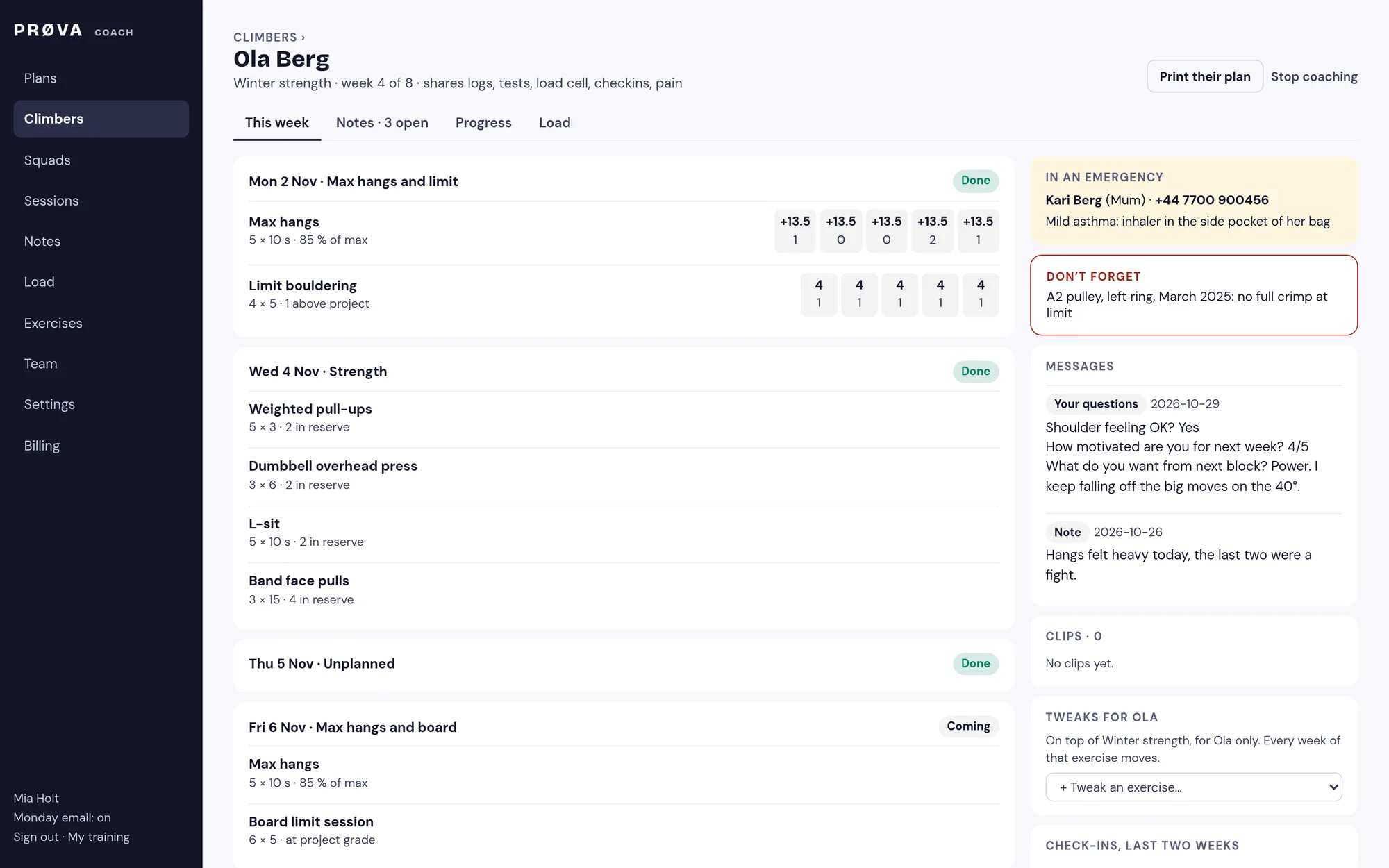
Their week as you wrote it, with what they actually did: the load on every set and how much they had left in the tank, and their climbing, board sessions from Boardlordz included. Their answers to your weekly check-in sit beside it, with who to call in an emergency and the line you must not forget.
- Sessions harder than you planned, flagged
- Pain or injury reported the same day; finger work pauses until you’ve looked, if you want it to
- Print their plan for climbers without a phone
5Notes, reminders, checks and goals
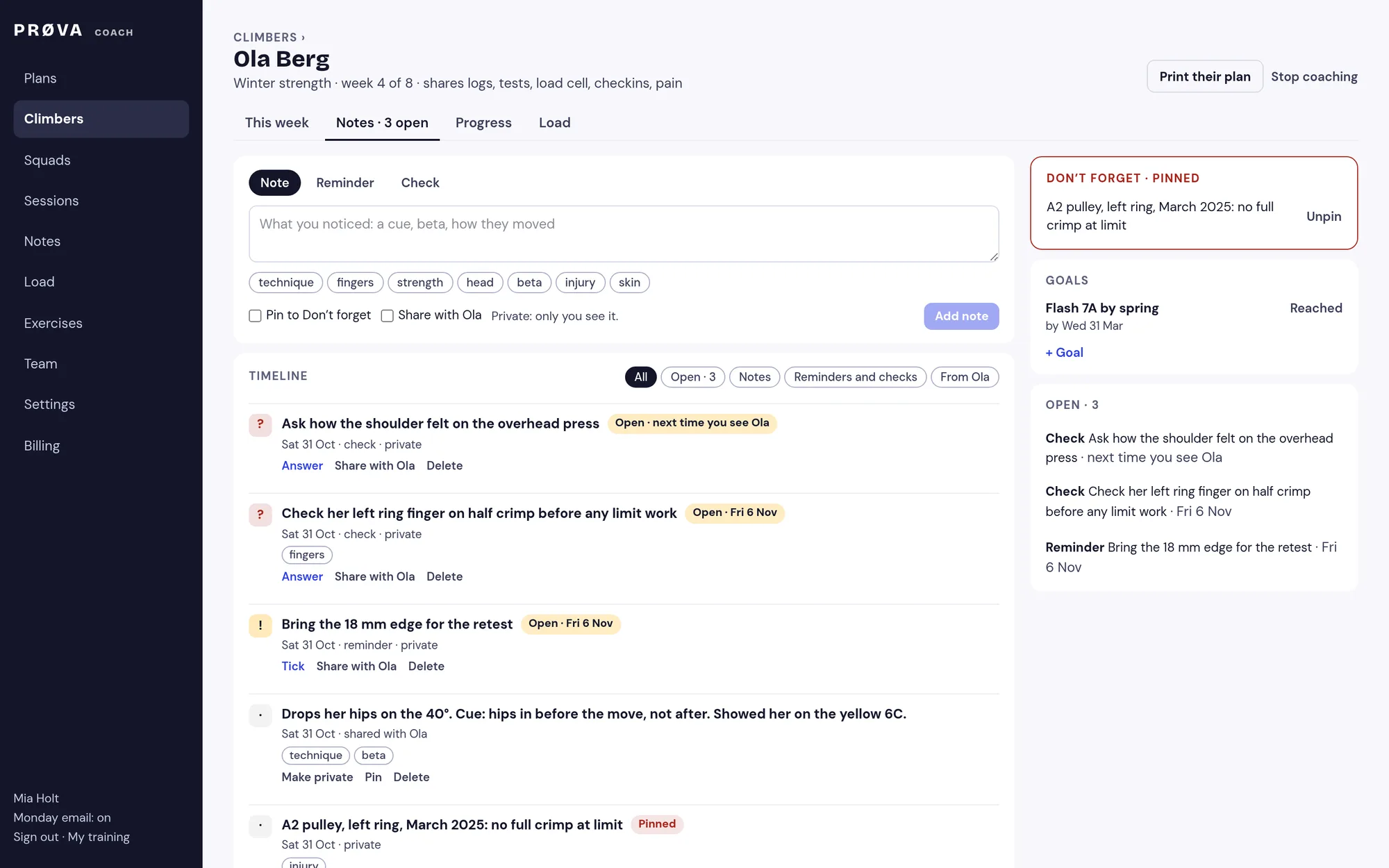
Write a note, a reminder for the next session, or a check that comes up on a day and closes only with an answer. Pin the lines that matter. Share a note or goal and it shows on their Today. Search every climber’s notes at once.
- One timeline per climber, with their own messages
- Tags, pins and goals
- In a team: for their coaches, or private to you
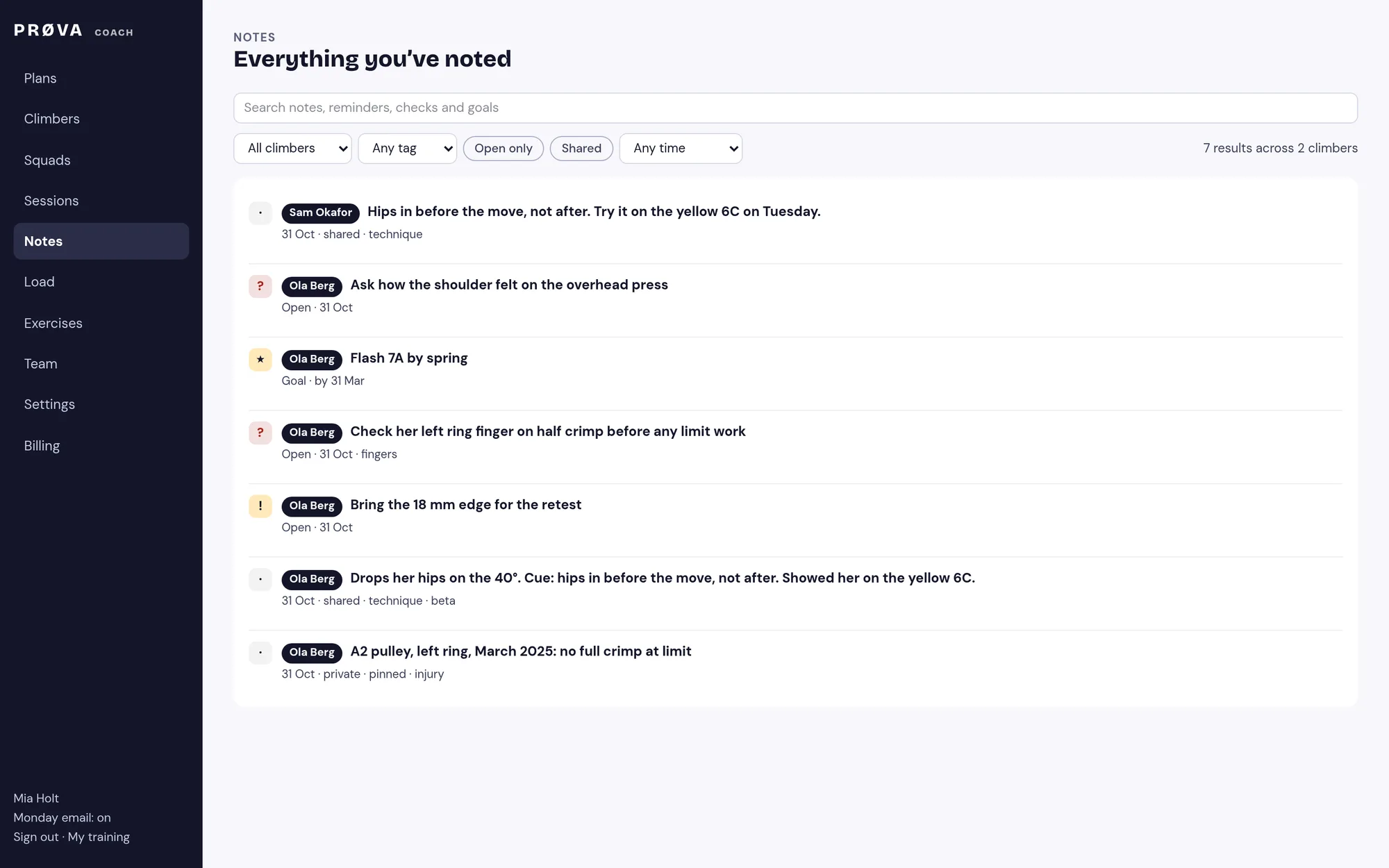
6Everything you’ve noted, in one place
Search every climber’s notes, reminders, checks and goals, by any part of a word, and filter by climber, tag, open or shared.
- Answers found through their checks
- Any time range
7Tests and sessions over time
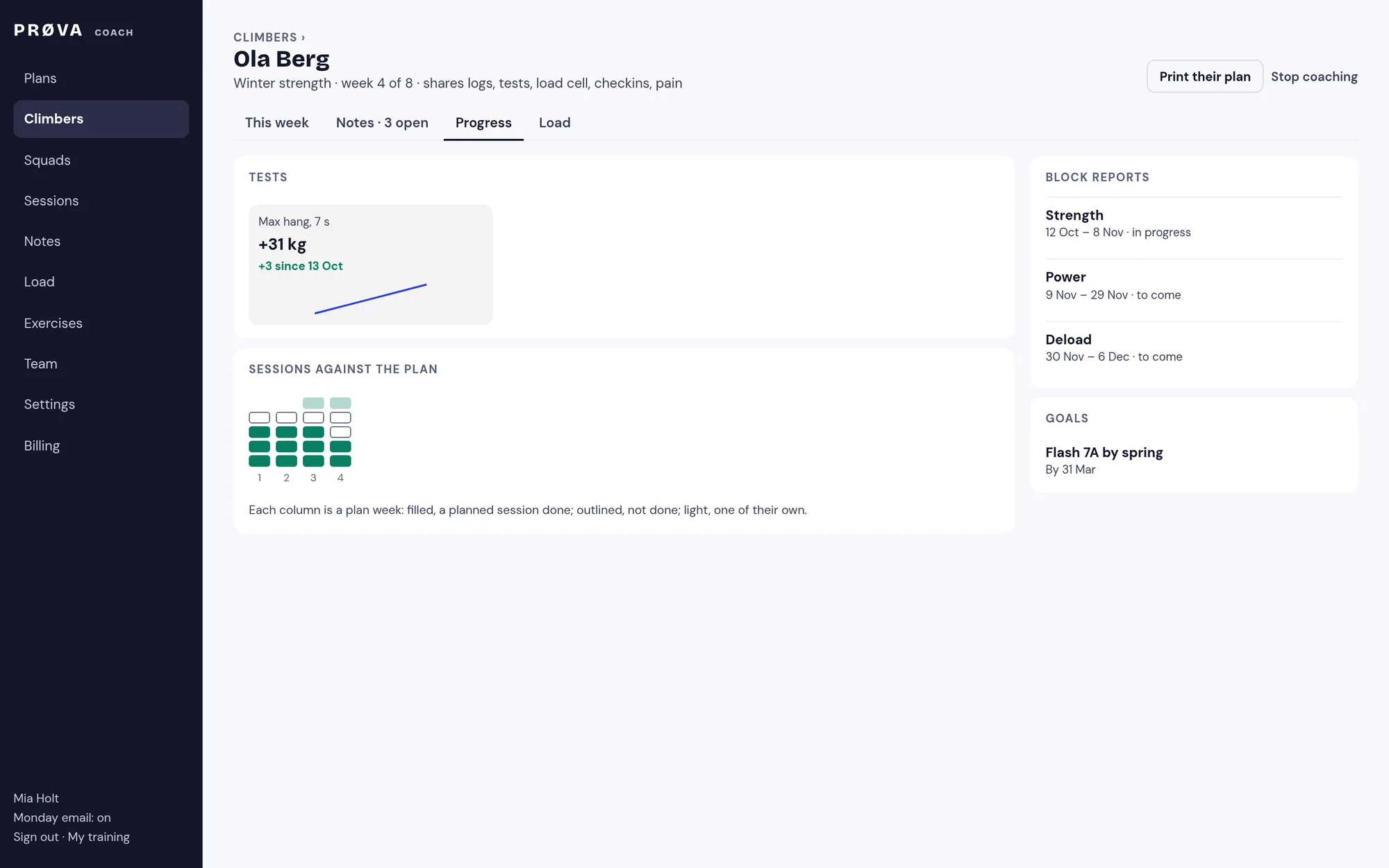
A climber’s tests with the change since the first, their planned sessions done week by week, the plan’s blocks and their goals.
- Block reports as each block ends
8Load: who’s doing too much
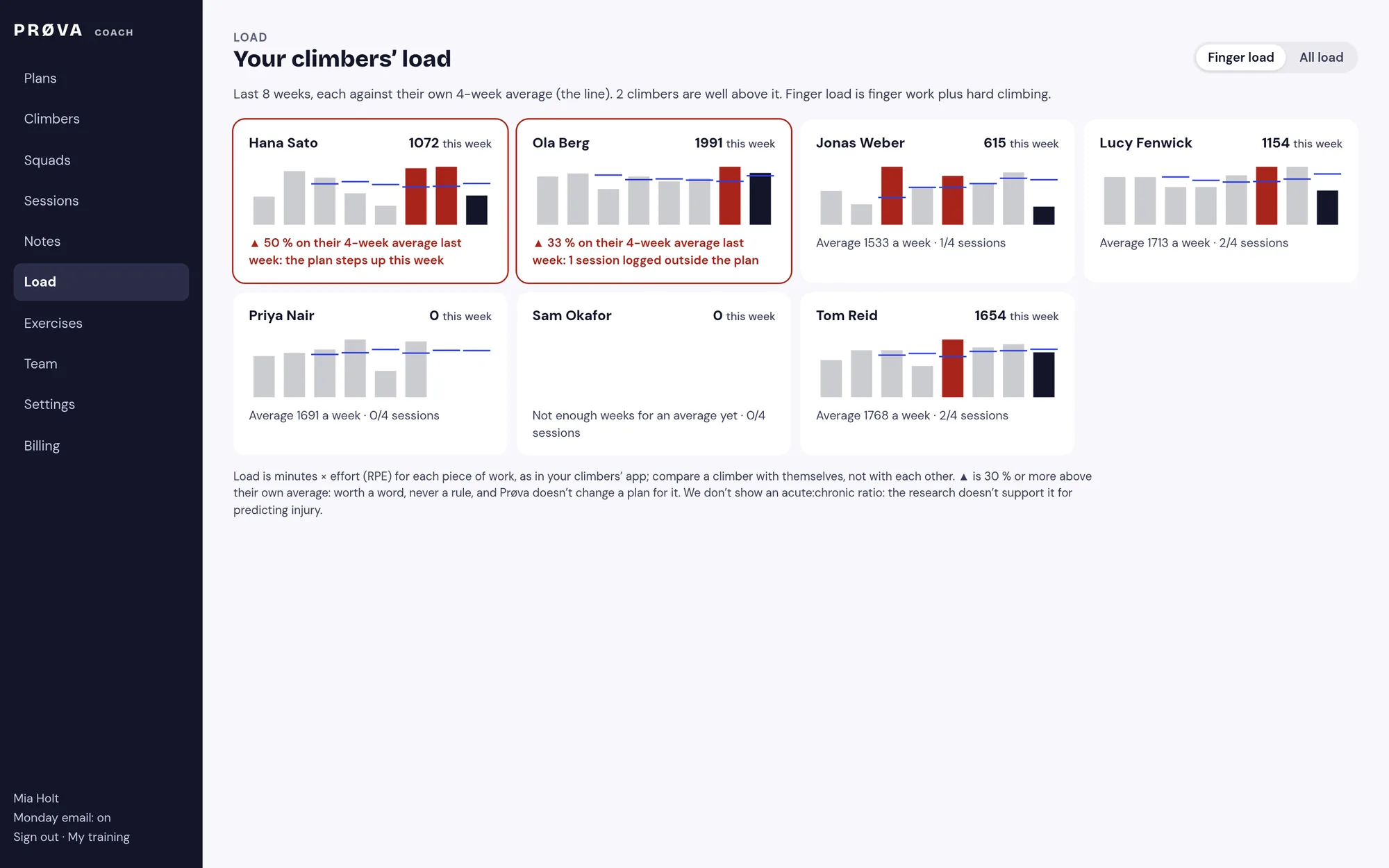
Each climber’s training load over eight weeks, against their own four-week average. Load is minutes times effort for every piece of work, the same way the app counts it. Anyone well above their usual gets flagged, with the reason.
- Finger load, or everything
- Compared with themselves, never with each other
- We don’t use an acute:chronic workload ratio: the research doesn’t back it for predicting injury
9Booked sessions
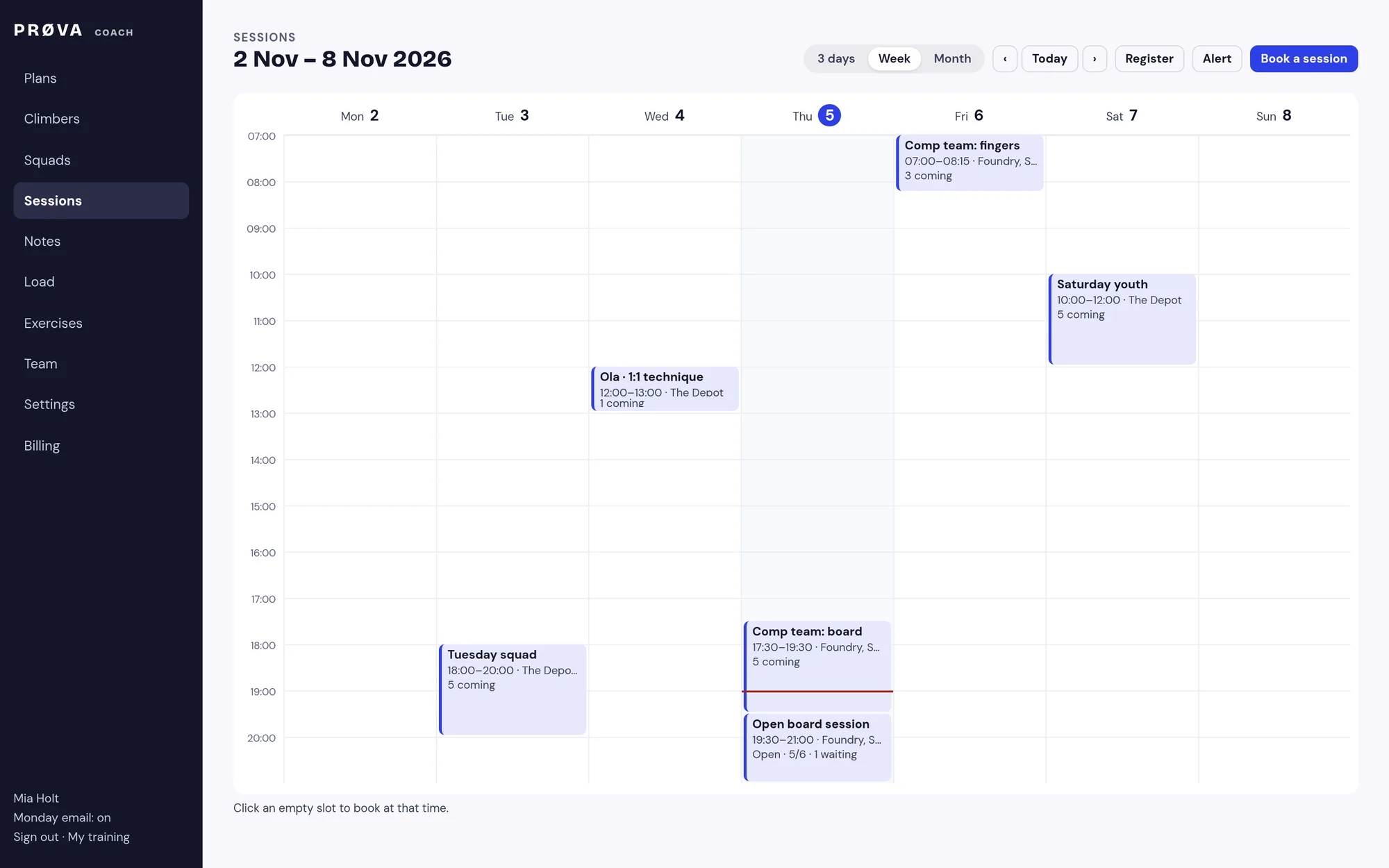
Book a session once or weekly for a squad or named climbers, with a place and a note. It goes on their Today with Directions and Can’t make it. Open a session to all your climbers with a number of places and a waitlist.
- See three days, a week by the hour, or a month
- Take the register, and message a squad in one go
- They get a notification on their phone
10Your calendar, and their weekly check-in
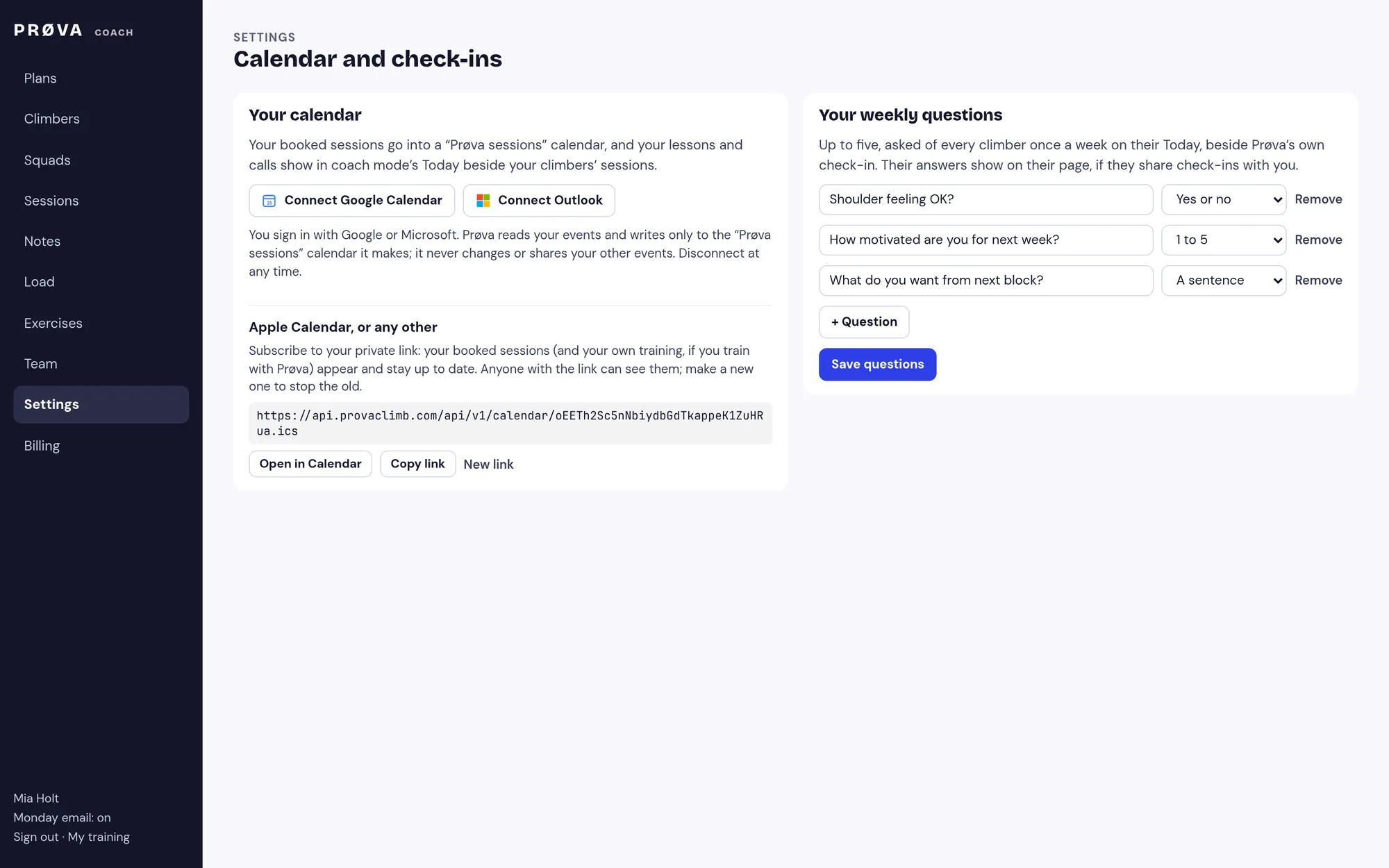
Connect Google Calendar or Outlook and your booked sessions go into a “Prøva sessions” calendar there; Apple Calendar subscribes to a private link. Ask up to five questions every week; their answers show on their page.
- Prøva never touches your other events
- Check-in answers can be yes or no, a 1 to 5 score, or a sentence
11Coach mode: run the session on your phone
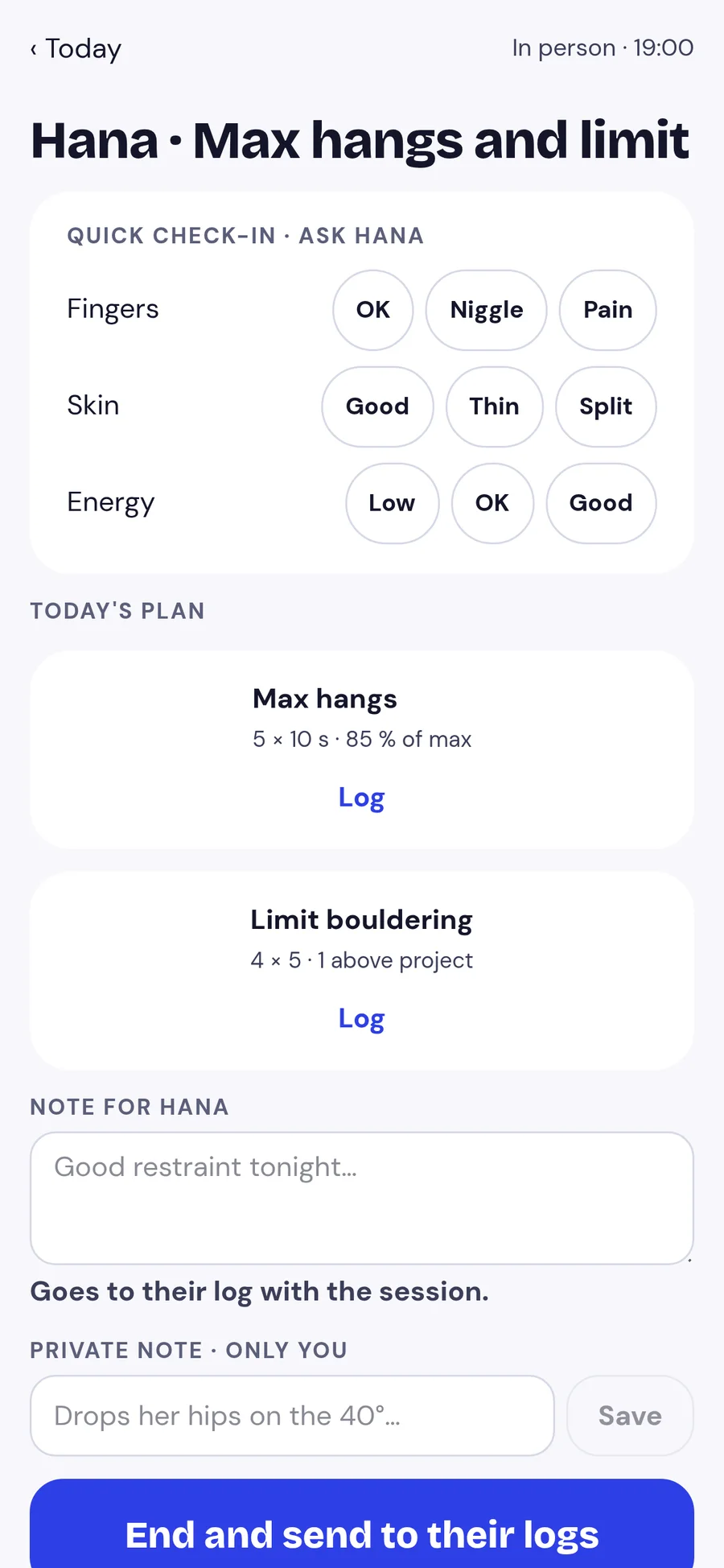
Today’s sessions with who’s coming; Start runs it for everyone. Tick who’s here, switch climbers with a tap, a quick check-in, sets as you saw them, a note. It’s in their log, marked as yours, when you finish. Works with no signal.
- Each climber’s reminders, up on the day
- A private note only you see
12Juniors and safeguarding
Under-18s join through your invite once a parent or guardian agrees, and gives an emergency contact and anything you should know, like allergies, asthma or medication. Clips of juniors are deleted after 30 days and can never be kept; any climber can delete a clip, and leaving you deletes the ones they shared. Another coach covering a session sees who’s here and their emergency details, for that day only.
- Printed plans for climbers without a phone
- Parents can change their details any time
13Teams for gyms and coaching companies
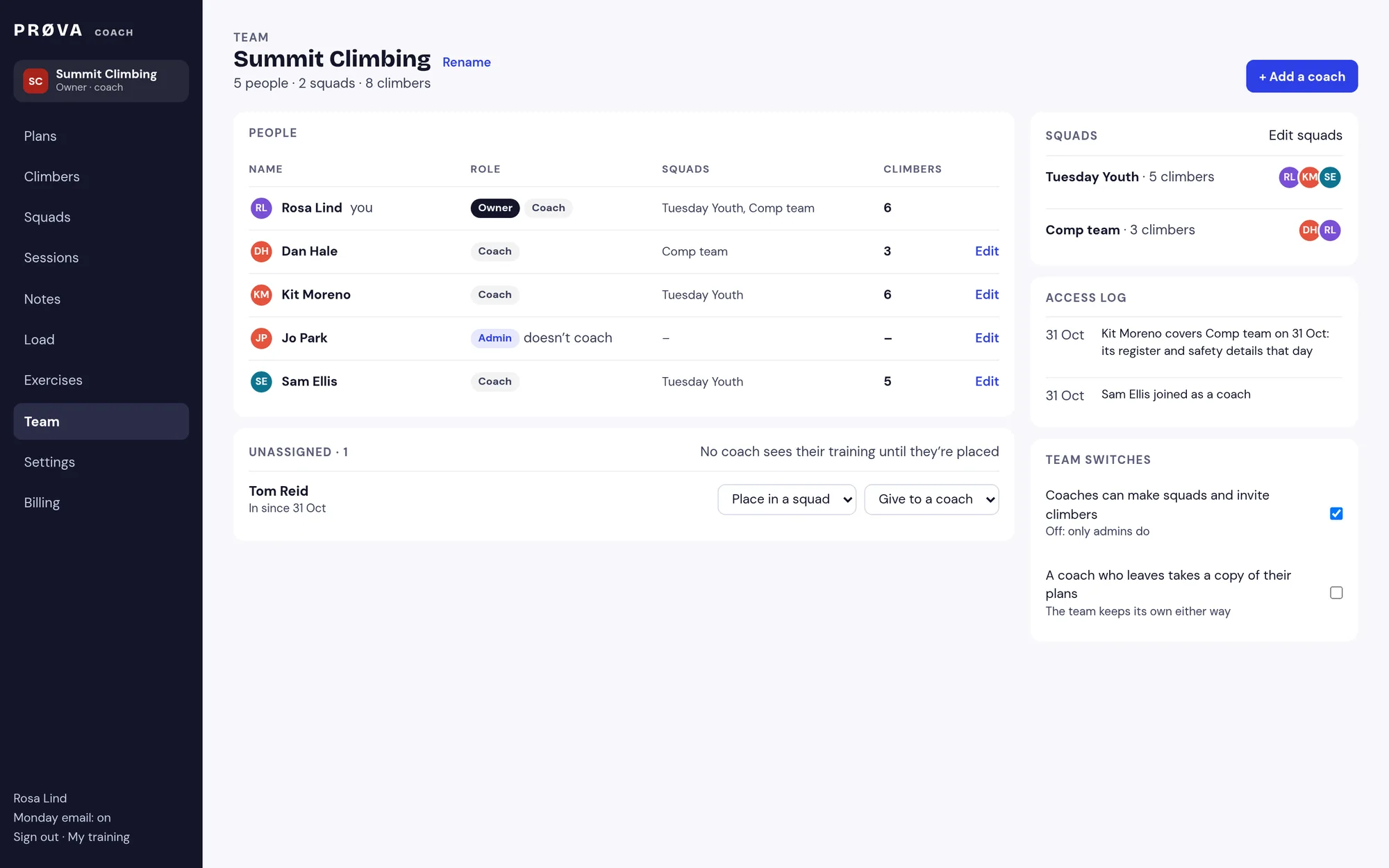
One team with an owner, admins and coaches; squads with several coaches and a lead; climbers given to a coach, and an Unassigned list for anyone waiting. Each coach sees only the climbers they coach, and every look at a climber’s training is in the access log. What coaches write for the team belongs to the team; the owner can let coaches keep a copy of their plans when they move on.
- Optionally, a head coach who sees every climber (off unless you switch it on)
- Sessions in each coach’s colour; see yours or everyone’s
- Squad: £499 a year + VAT with 10 climbers, every coach free
14Getting your climbers in
Invite up to 50 climbers by email at once, straight into a squad, or share your link. Anyone already coached is skipped, and typos are flagged. Billing is on the web, prices are + VAT, and your climbers don’t pay while you coach them. Drop a seat when a climber leaves, and export everything you’ve made whenever you like.
- Founding coaches: we import your real plans with you
Start coaching.
£249 a year + VAT for one coach with 5 climbers. Squad from £499 + VAT, every coach free, and cheaper than Coach from 10 climbers.